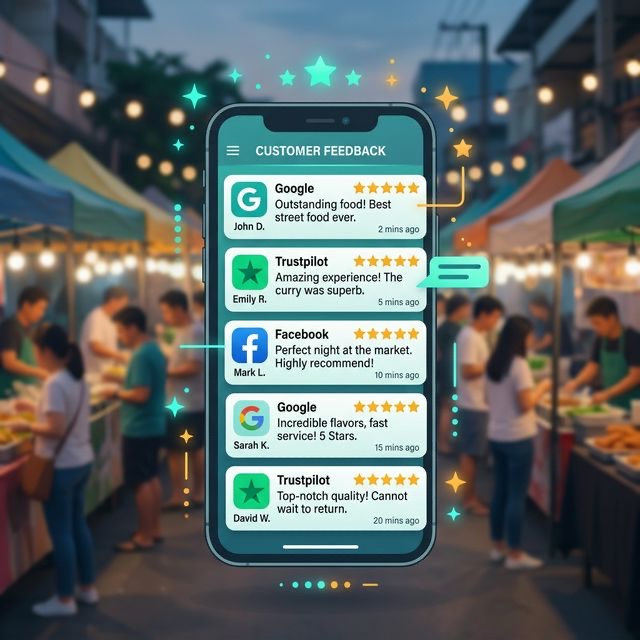
Your competitor has 50 Google reviews. You have 8. Reviews matter for bookings, but asking for them feels awkward. Here's how to get more reviews naturally—without begging or being pushy.
Why Google Reviews Matter More Than You Think
When someone searches "pizza van hire near me," Google shows businesses with reviews prominently. More reviews (and higher ratings) mean better visibility. But it's not just about SEO.
Reviews are social proof. When a couple is choosing between two caterers, the one with 47 five-star reviews feels safer than the one with 3. They're trusting strangers' experiences over your marketing claims—and that's fair.
The maths is simple: more reviews = more trust = more bookings.
Why Clients Don't Leave Reviews (And How to Fix It)
Most happy clients don't leave reviews because:
- They forget: Life moves on after the event. Leaving a review drops off their mental to-do list
- It feels like effort: Finding your Google listing, logging in, writing something—each step loses people
- They don't know you want one: If you don't ask, they assume you don't need them
- They don't know what to say: "It was great" doesn't feel like enough, so they write nothing
Your job is to remove these barriers. Make leaving a review easy, timely, and guided.
The Perfect Time to Ask
Timing is everything. Ask too early and they've nothing to review. Ask too late and they've forgotten the experience.
The Sweet Spot: 1-3 Days After the Event
The event is fresh. The euphoria hasn't worn off. They're probably looking at photos and reliving it. This is when a review request lands best.
The Worst Times
- On the day: They're busy hosting. Wrong moment
- Two weeks later: The emotional peak has passed. They've moved on
- When you send the final invoice: Mixing money talk with favour requests feels transactional
Pro Tip
Send your review request the Monday or Tuesday after a weekend event. People are back at their desks, procrastinating from work, and more likely to take 2 minutes for a quick favour.
How to Ask (Without Being Awkward)
The key is to make it feel natural, not desperate. Here's a template that works:
Subject: Hope Saturday was amazing!
Hi [Name],
We loved being part of your [event type] on Saturday! Thanks again for having us.
If you have a spare minute, we'd really appreciate a quick Google review—it makes a huge difference for small businesses like ours. Here's a direct link: [LINK]
No pressure at all, and thanks again for booking us!
[Your name]
Notice what's happening here:
- Personal touch (referencing their specific event)
- Brief and easy to scan
- Direct link (no searching required)
- Low pressure ("no pressure at all")
- Explains why it matters ("small businesses like ours")
Make It Ridiculously Easy
Every extra step loses 50% of potential reviewers. Reduce friction ruthlessly.
Create a Direct Review Link
Don't send people to your Google listing and hope they find the review button. Google lets you create a direct link that opens the review form immediately.
To get yours: search for your business on Google, click "Write a review," and copy the URL. Or use a free link shortener to make it memorable (like bit.ly/yourbusiness-review).
Use a QR Code
Create a QR code that links to your review page. Print it on a card you hand to clients at events: "Loved the food? Scan to leave us a review!" Some vendors put these on their van or at their stall.
Include It in Your Email Signature
Add a line to every email: "Happy with our service? Leave us a Google review." You're asking passively with every communication.
Help Them Know What to Write
Blank page syndrome is real. Some clients want to help but don't know what to say.
Give gentle prompts in your request:
"If you're not sure what to write, a line or two about what you enjoyed—the food, the service, how we handled things—is perfect!"
Or include questions they can answer:
- What did you love about the food?
- How was the service on the day?
- Would you recommend us to friends?
This isn't scripting their review—it's giving them a starting point.
The Follow-Up (If They Don't Respond)
Not everyone will leave a review first time. A gentle follow-up 5-7 days later can double your response rate:
"Hi [Name], just floating this to the top of your inbox in case it got buried! If you have a moment to leave a quick review, here's that link again: [LINK]. Totally understand if you're too busy—thanks either way!"
One follow-up is fine. Two is pushy. Know when to stop.
Automate review requests
VendorPad sends review requests automatically after events, with your direct Google link included. More reviews with zero extra work.
Start your free trialWhat About Incentives?
Offering discounts or freebies for reviews is against Google's terms of service. If caught, your reviews could be removed or your listing penalised. Not worth the risk.
However, you can:
- Thank people publicly for their reviews (without promising anything in return)
- Enter all reviewers into a prize draw (as long as this isn't conditional on leaving a review)
- Simply deliver such great service that people want to rave about you
Responding to Reviews
Every review deserves a response. It shows you care and encourages others to leave reviews too.
For Positive Reviews
Thank them specifically. Reference their event if you can:
"Thanks so much, Sarah! We loved catering your daughter's christening—the pulled pork was definitely the crowd favourite! Hope to see you again."
For Negative Reviews
Stay professional. Acknowledge the issue, apologise if appropriate, and offer to discuss offline:
"We're sorry to hear you weren't completely satisfied. We take feedback seriously and would love to understand what happened. Please get in touch at [email] so we can make it right."
Never argue publicly. Other potential clients are reading your response.
Building a Review Machine
Make review requests part of your standard process:
- Day 1-2 after event: Send personalised thank you + review request
- Day 7: Gentle follow-up if no review
- Ongoing: Review link in email signature and on printed materials
- Monthly: Respond to all new reviews
Consistency compounds. If you ask every client, you'll steadily build reviews. If you only ask occasionally, you'll stay at 8 forever.
Final Thoughts
Getting reviews isn't about begging or badgering. It's about making it easy for happy clients to share their experience. Most people are willing—they just need a nudge and a clear path.
Ask consistently, make it easy, time it well, and respond to what you receive. Do this for a year and you'll have a review profile that builds trust before potential clients even contact you. That's marketing that works while you sleep.